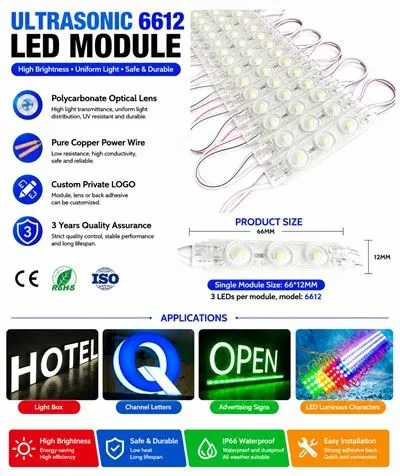
Hey there! As a supplier of 12V LED RGB modules, I often get asked about how to connect these nifty little devices to a power supply. It might seem a bit daunting at first, but don't worry – I'm here to break it down for you in a super easy way.
First off, let's talk about what a 12V LED RGB module is. These modules are basically a collection of red, green, and blue LEDs all packed together. They're great for creating all sorts of cool lighting effects, like changing colors, flashing, or fading. You can use them for all kinds of projects, from home decor to stage lighting.
Now, let's get into the nitty - gritty of connecting them to a power supply.
What You'll Need
- 12V LED RGB Module: Of course, you need the module itself. We offer some really high - quality options, like the High Quality IP68 Waterproof Backlight 12v LED Module. It's waterproof, which is great if you're using it outdoors or in a damp environment.
- 12V Power Supply: This is what's going to give your module the energy it needs to light up. Make sure the power supply can handle the current requirements of your module. You can usually find this information in the module's datasheet.
- Wires: You'll need some wires to connect the module to the power supply. Make sure they're the right gauge for the current you'll be using.
- Soldering Iron (Optional): If your module has solder pads, you might need a soldering iron to make a secure connection. But some modules come with pre - attached wires, so you might not need this.
Step - by - Step Connection Process
Step 1: Identify the Pins on the Module
Most 12V LED RGB modules have four pins: one for power (usually labeled VCC or +12V), one for ground (GND or -), and one each for the red, green, and blue LEDs. Sometimes, the pins might be labeled with colors (red for the red LED, green for the green LED, and blue for the blue LED).
Step 2: Connect the Power and Ground
Take your power supply and find the positive and negative terminals. The positive terminal is usually marked with a plus sign (+), and the negative terminal is marked with a minus sign (-). Connect the positive terminal of the power supply to the VCC or +12V pin on the module using a wire. Then, connect the negative terminal of the power supply to the GND or - pin on the module.
If you're using a soldering iron, make sure the connections are clean and secure. Heat up the soldering iron, and apply a small amount of solder to the pin and the wire. Hold the wire in place until the solder cools and hardens.
Step 3: Connect the RGB Pins
The RGB pins control the color of the LEDs. You can connect these pins to a controller if you want to change the colors. A simple way to test the module is to connect each RGB pin to the positive terminal of the power supply one at a time. When you connect the red pin, the red LEDs should light up. Do the same for the green and blue pins.


If you're using a controller, follow the instructions that come with it. Usually, you'll connect the RGB pins to the corresponding output pins on the controller.
Troubleshooting
- No Lights: If your module isn't lighting up, first check the power supply. Make sure it's turned on and providing 12V. Also, check the connections to make sure they're secure. If you're using a soldering iron, make sure the solder joints aren't short - circuited.
- Wrong Colors: If the colors aren't right, check the RGB connections. Make sure you've connected the right pins to the right outputs.
Other Considerations
- Heat Dissipation: LEDs can get hot, especially if they're running for a long time. Make sure your module has proper heat dissipation. You can use a heat sink or make sure there's enough ventilation around the module.
- Current Limiting: To prevent the LEDs from burning out, you might need to use current - limiting resistors. Check the module's datasheet to see if this is necessary.
We also have some other great products in our catalog. For example, the New Design 5years Warranty IP68 12v Led Module comes with a 5 - year warranty, which gives you peace of mind. And if you're looking for something for signage, our 5050 Rgb Led Sign Modules are a great choice.
If you're interested in purchasing our 12V LED RGB modules or have any questions about the connection process, feel free to reach out. We're always happy to help you with your lighting projects. Whether you're a DIY enthusiast or a professional in the lighting industry, we've got the right products for you.
References
- LED Module Datasheets
- General Knowledge of Electronics for LED Lighting