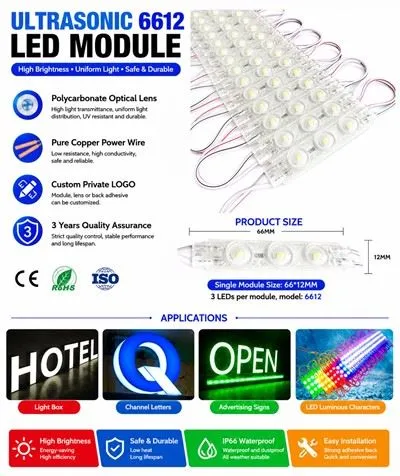
How to Troubleshoot a Non - Working LED Module?
As a seasoned LED module supplier, I've encountered numerous situations where customers face issues with non - working LED modules. In this blog, I'll share some practical steps to troubleshoot these problems, ensuring you can get your LED modules up and running efficiently.
1. Check the Power Supply
The first step in troubleshooting a non - working LED module is to examine the power supply. LED modules are sensitive to voltage and current, and an improper power supply can lead to malfunction.
- Verify the Voltage: Different LED modules require specific voltage levels. For example, our 12v Waterproof Led Module is designed to operate at 12 volts. Use a multimeter to measure the voltage at the power source. If the voltage is too high or too low, it can cause the LED module to fail. Make sure the power supply matches the requirements of the LED module.
- Inspect the Power Cable: A damaged power cable can disrupt the flow of electricity to the LED module. Check for any visible signs of wear, such as frayed wires or loose connections. If you find any issues, replace the power cable. Also, ensure that the cable is properly plugged into both the power source and the LED module.
- Test the Power Supply Unit: Sometimes, the power supply unit itself may be faulty. Try using a different power supply unit to see if the LED module works. If it does, then the original power supply unit needs to be repaired or replaced.
2. Examine the LED Module Connections
Loose or incorrect connections can also cause an LED module to stop working.
- Check the Wires: Inspect the wires connecting the LED module to the power supply. Make sure they are securely attached and there are no loose ends. If the wires are not properly connected, it can result in an open circuit, preventing the LED module from receiving power.
- Verify the Polarity: LED modules have a specific polarity, which means the positive and negative terminals must be connected correctly. Reversing the polarity can damage the LED module. Check the markings on the LED module and the power supply to ensure the correct connection.
3. Look for Physical Damage
Physical damage to the LED module can be a common cause of malfunction.
- Inspect the LEDs: Examine the individual LEDs on the module. Look for any signs of burnt - out LEDs, such as blackened or discolored bulbs. If you find a damaged LED, it may need to be replaced. In some cases, a single faulty LED can cause the entire module to stop working.
- Check for Cracks or Breaks: Look for any cracks or breaks in the LED module housing. Physical damage to the housing can expose the internal components to moisture or other contaminants, which can lead to short circuits or other issues. If the housing is damaged, it may be necessary to replace the entire LED module.
4. Consider Environmental Factors
Environmental conditions can also affect the performance of LED modules.
- Temperature and Humidity: Extreme temperatures and high humidity can cause problems for LED modules. LED modules are designed to operate within a specific temperature range. If the temperature is too high or too low, it can affect the performance of the LEDs. Similarly, high humidity can cause corrosion and other issues. Make sure the LED module is installed in an environment with suitable temperature and humidity levels.
- Exposure to Water or Chemicals: If the LED module is exposed to water or chemicals, it can cause damage. Our 12V 24V COB Led Light is designed to be more resistant to environmental factors, but it's still important to protect it from direct exposure to water or chemicals. If the module has been exposed to these substances, clean it carefully and check for any signs of damage.
5. Test the LED Module with a Different Controller
If you are using a controller to operate the LED module, the controller may be the source of the problem.
- Try a Different Controller: Connect the LED module to a different controller to see if it works. If the module functions properly with the new controller, then the original controller needs to be repaired or replaced.
- Check the Controller Settings: Make sure the controller settings are correct. Incorrect settings can cause the LED module to behave erratically or not work at all. Refer to the controller's manual to ensure the settings are appropriate for the LED module.
6. Consult the Manufacturer's Documentation
The manufacturer's documentation can provide valuable information about troubleshooting the LED module.


- Read the Manual: The manual that comes with the LED module contains detailed information about its operation, installation, and troubleshooting. Read the manual carefully to see if there are any specific troubleshooting steps or known issues.
- Contact the Manufacturer: If you are still unable to resolve the problem, contact the manufacturer for further assistance. As an LED module supplier, we are always ready to help our customers with any issues they may encounter.
In conclusion, troubleshooting a non - working LED module requires a systematic approach. By following these steps, you can identify and resolve most common problems. If you need high - quality LED modules, we offer a wide range of products, including 2835 Lens Led Module 12v. If you have any questions or are interested in purchasing our LED modules, feel free to reach out to us for a detailed discussion. We look forward to working with you to meet your lighting needs.
References
- General knowledge and experience in the LED module industry.
- Product manuals and technical specifications of our LED modules.